One morning, my colleague Blane got a text from an unknown number:
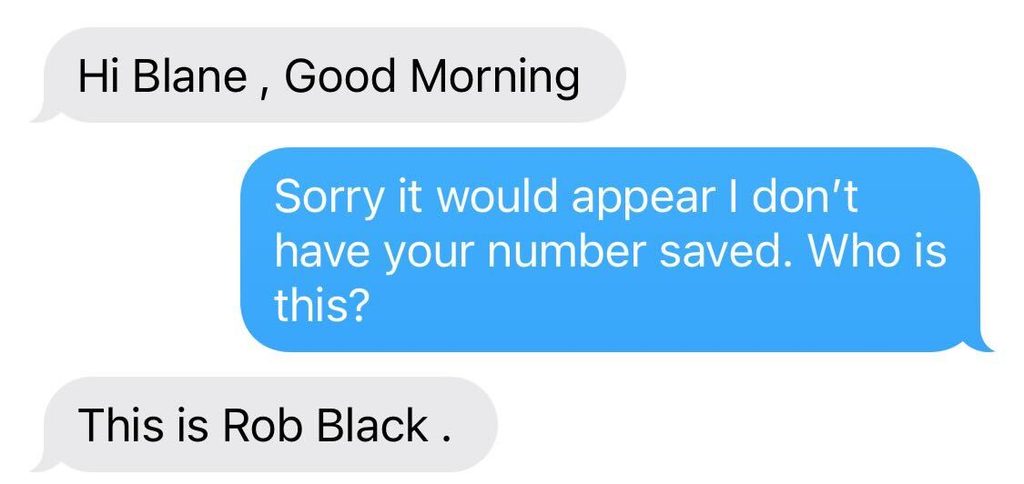
Weird, Rob (our CEO) doesn’t regularly send us texts. What could he have wanted?
If the weirdness of getting texts from your boss on an unknown number didn’t throw up red flags, this definitely did:
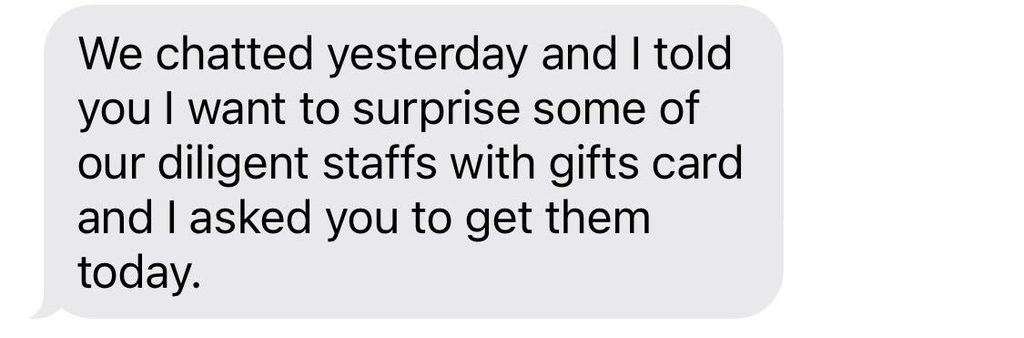
Obviously, Rob never sent that text. Blane also knew he had never had that conversation, but he checked with the real Rob directly just to be sure. (He also found the situation funny enough to share these screenshots in Slack.)
This particular attacker was not exactly a criminal mastermind. “Diligent staffs” and “gifts card” are not how Rob writes. But do not let the clumsy grammar fool you into thinking these attacks are always easy to spot. Sophisticated attackers spoof the right name, references real projects you are actually working on, and creates enough urgency to bypass skepticism.
When attacks bypass your security tools and reach your employees, they become your last layer of defense. You must train your employees to recognize and properly respond to social engineering cyber attacks. Cybersecurity awareness training is as important a security control as any email defense or endpoint detection and response tool.
This article covers two core pieces of information: what every employee should know about cybersecurity, and what every IT person should do to support them.
Five things every employee should know
Your employees do not need to be cybersecurity experts to protect your company. They need a handful of good behaviors, practiced until they are automatic.
1. Be suspicious of unusual and urgent requests
When something feels unusual or outside the normal process, stop and verify it through a separate, trusted channel. Urgency is a tell. Attackers manufacture time pressure on purpose because a person in a hurry is less likely to stop and check.
The gift card text, the executive who “cannot talk right now,” the vendor who suddenly emails new bank details for your next payment – each one leans on speed.
2. Slow down before you click
Before you click a link in a message, run it past three questions:
- Was I expecting this?
- Does the request make sense?
- Is there another way to get there?
Take the classic “your password needs attention” email that appears to come from Microsoft. You do not have to use the link. Open your browser, go to Microsoft directly, and sign in the way you always do.
If the alert is real, it will be waiting for you when you arrive on your own. If it was a trap, you just walked right around it. When you are not sure, report the message to your IT or security team and let them help.
3. Verify people before you trust them
Before you hand over information or access to someone who contacted you, confirm they are who they claim to be by contacting them through a separate, trusted channel, such as a phone number in your own records rather than the one they gave you.
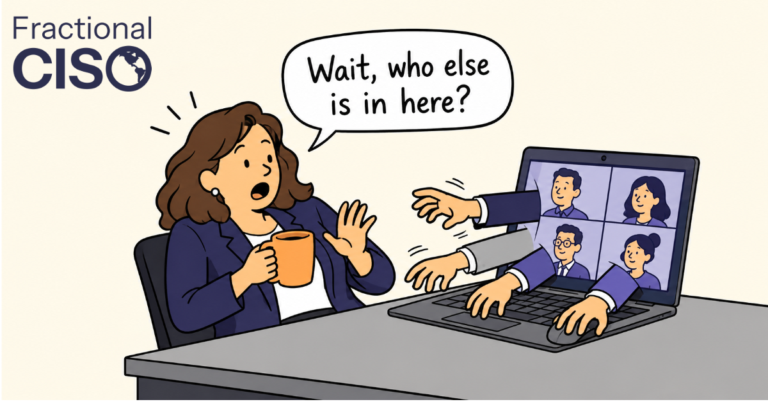
This matters because knowing a few details about an account is not proof of identity. Attackers can pull a surprising amount from social media, past data breaches, and your own company website, then use it to sound like the real person. Given how good AI generated speech has gotten, even an inbound phone call may not be legitimate! Always verify in a separate channel.
4. Let a password manager do the work
Every account must have a strong, unique password. Use the password managers your IT team gives you to do this. While they may seem irritating at first, they make passwords and logging in much easier once set up. It’s way easier to remember one password than dozens, or trying to figure out which version of your password was in use.
“Did I use a capital S in this one? Or a $ sign?”
5. Install your updates
Those “update available” notifications are easy to snooze. (Even I have ignored my fair share of them!) But those software updates are not only about new features or irritating and unnecessary UI changes. They frequently patch security holes that attackers could exploit at any time.
Your company probably pushes many updates automatically, but when an update is on you, don’t let it sit!
Six things IT and leadership should put in place
Look back at those five habits and you will notice something: most of them only work if the company makes them possible. Nobody can “use the approved password manager” that was never provided. This is the other half of the job, and it belongs to IT and leadership.
1. Start cybersecurity awareness training
Give your people real training, not a one-time onboarding video. At a minimum, it should cover how to recognize phishing and social engineering, handle sensitive information, use passwords securely, and report something suspicious. Deliver it when people join and refresh it at least once a year. A video watched once on day one does not change behavior; steady reinforcement does.
A seemingly uncountable number of vendors sell cybersecurity awareness training. KnowBe4, Proofpoint, Wizer, NINJIO, CyberHoot, and many more are worth a look. Evaluate them on content quality, reporting, admin effort, and price. Make sure they have a built-in phishing simulation. Expect $10 to $60 per employee per year. A 30-person company can run a light, automated platform. A 700-person company will want role-based content, real tracking, and reporting to ensure compliance.
2. Run phishing tests
Once training is in place, test whether it works. Start with obvious simulated phishing emails, add realism as your people improve, and track results over time. Sometimes people find phish testing irritating, “isn’t this a gotcha game that makes people feel tricked?”
It should not be.
The point is never to catch or embarrass anyone; it is to see whether people are getting better at spotting and reporting, and to give them a safe place to practice. Celebrate the reporters, do not punish the clickers.
3. Make reporting easy
Microsoft and Google both provide easy “Report Phishing” buttons in their email clients. Ensure employees know how and when to use it!
4. Give people a password manager
Telling employees to use strong, unique passwords is empty advice without a tool to do it. Provide an approved company password manager, they are amazing tools that destroy many bad habits: reused passwords, spreadsheets with logins, and ownership credentials shared over chat.
It is also important to train people on using a password manager! They should understand that using a password manager is an easier way to manage logins. If they don’t feel it is easier, they are less likely to use it.
5. Require MFA
Passwords get stolen, phished, and guessed. Multi-factor authentication (MFA) makes a stolen one far less useful, because the attacker still needs the second factor. Require it everywhere your systems support it. Where you can, go further with phishing-resistant methods like passkeys or hardware security keys, which are much harder to trick a user into handing over than a one-time code.
6. Keep everything patched
Attackers routinely break in through known vulnerabilities that already have a fix, betting you have not patched yet. Build a defined process for updating laptops, operating systems, browsers, applications, and servers. Automate where you can, and track where updates lag when you cannot.
Your People are Your Defense
No security controls can prevent 100% of malicious messages from reaching employees. Eventually, something will get through. You need your employees to be prepared to recognize and report it.
Deciding which training vendor fits your business, or how to sequence these steps on a limited budget, is where organizations such as Fractional CISO can help.
___
Want to get great cybersecurity content delivered to your inbox? Click here to sign up for our monthly newsletter, Tales from the Click!