You may be considering making changes to your network or starting a new company or branch office. What should you do to minimize your organization’s cybersecurity risk?
When we moved into a new office, I was responsible for setting up the network. This included selecting the right network equipment for our organization.
As a security company, network security is obviously very important to us. We are also a small business, and we can’t afford to spend a lot of our time and resources configuring and maintaining the network. When we looked for network solutions, we wanted something that was both highly secure and low-maintenance at the same time.
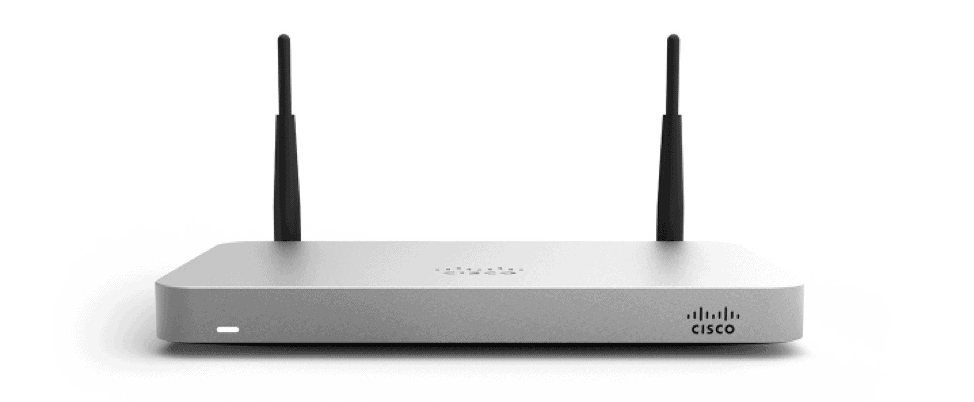
Meraki’s Security Appliance was a great fit on both of these fronts – and we do not regret our decision. That is why I decided to write this Meraki Review.
The network tools are easy to set up, easy to troubleshoot, and easy to monitor and maintain. The Intrusion Detection System (IDS) and Intrusion Prevention System (IPS) give top network people peace of mind in a fast-paced, high-stakes IT world. Here are some of the points of evaluating this suite in terms of its utility for business.
Criteria 1: Security
Meraki offers two types of licensing options: Enterprise and Advanced Security License.
- The standard Meraki Enterprise License – This license gives you a stateful inspection firewall with VPN capabilities. Custom Splash pages, traffic shaping, and HTML caching are also included. It is a pretty basic set of capabilities.
- The Advanced Security License (ASL) – This license enables the higher-level features that were more suitable for our security-focused needs. This license turns on the following capabilities:
- Intrusion Protection and Detection powered by Snort,
- Anti-Virus and Anti-Phishing powered by Kaspersky,
- Web Search and Content Filtering,
- Geography-Based Firewall Rules
ASL also has Advanced Malware Protection that enables malware detection, blocking and continuous analysis, along with retrospective actions and alerting. This is a huge game-changer and complements Cisco’s Threat Grid, which combines sandboxing and threat intelligence into one unified solution.
ASL is a huge improvement over the Enterprise license. Meraki’s “always automatically updated” policies make sure that the various intrusion, virus, and phishing databases are continuously updated. That means there’s no burden on admins to keep the definitions up to date. So, even though the ASL is almost double the cost of the Enterprise license, it is totally worth it.
Criteria 2: Easy to set up, use, and manage
Have you wondered how amazing it would be if network firewalls had the same kind of automated patch routines as computers and servers? … you could just remotely access and manage your network securely while you worked from home!
Meraki provides automated connection capabilities. Setting the device up is as easy as creating an account and adding all devices to the network using the single web interface.
That interface is the central point of visibility where your devices can be automatically configured, monitored and managed. The cloud controller allows all indoor and outdoor network components to work together seamlessly.
The Cloud Controller
Having central visibility built into all devices helps ensure that all the products are up to date on software versions. If the connection to the controller is lost, the network functionality remains unaffected, because the Cloud Controller is hosted by Cisco via an out-of-band connection. It doesn’t require an onsite server or appliance.
- The Cloud Controller provides monitoring and automatic alerts.
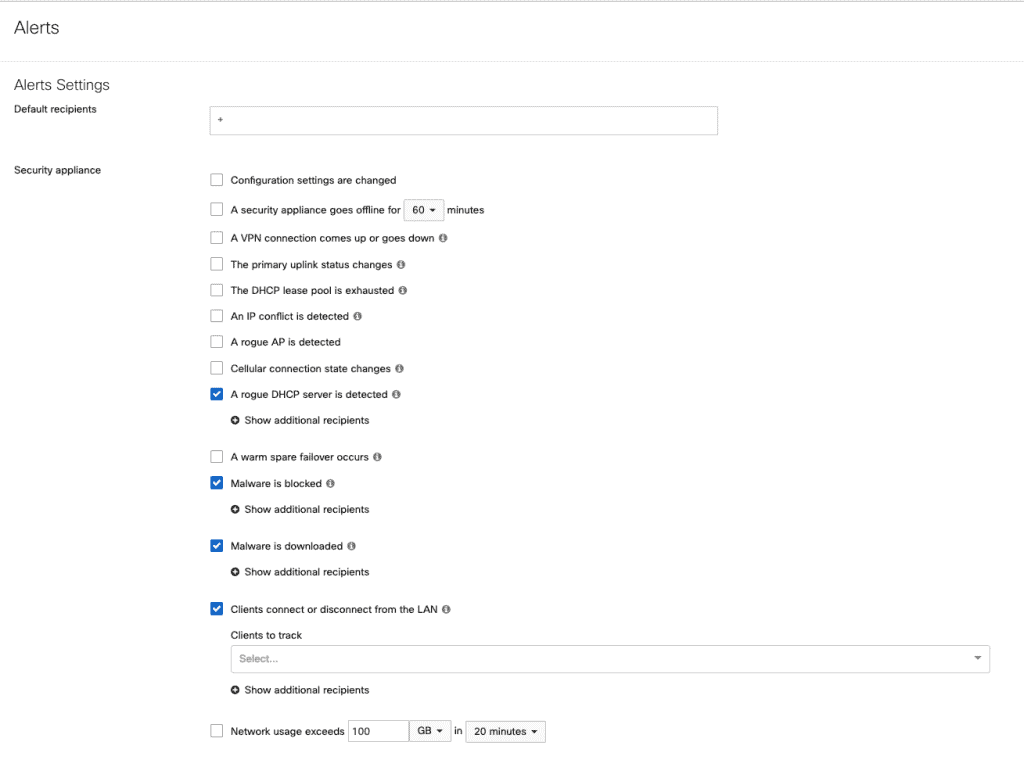
- The interface allows you to view detailed historical logs of events like security occurrences, client DHCP leases, and VPN events. The best part is, it can be filtered down by event category, by timespan, and even by specific client devices very easily. For further manipulation and extrapolation for analysis and reporting, all these logs can be exported in CSV format.
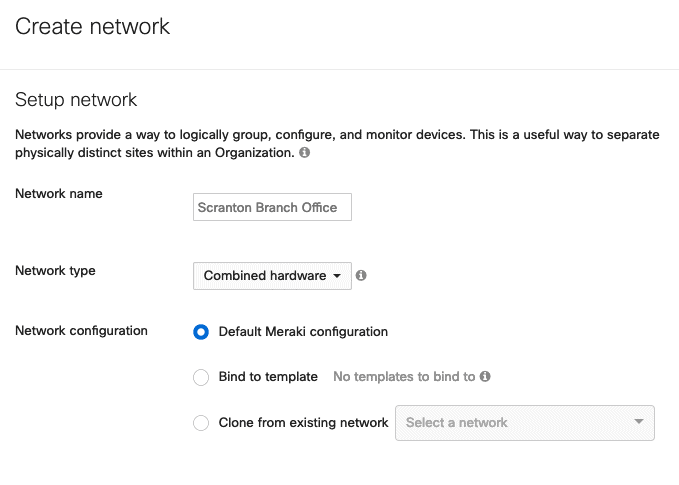
- Administrators can have company-wide default settings implemented for the firewall, ensuring minimum security settings and guaranteeing that all devices on the network receive updates as they vet new software versions. These setting would be applied not only to all existing Meraki devices but also to other network devices that are added to the company account. It also means that if you are opening a new office, you can simply copy the configuration and apply it to the new site using several clicks. You can also clone device configuration to achieve consistency within your network.
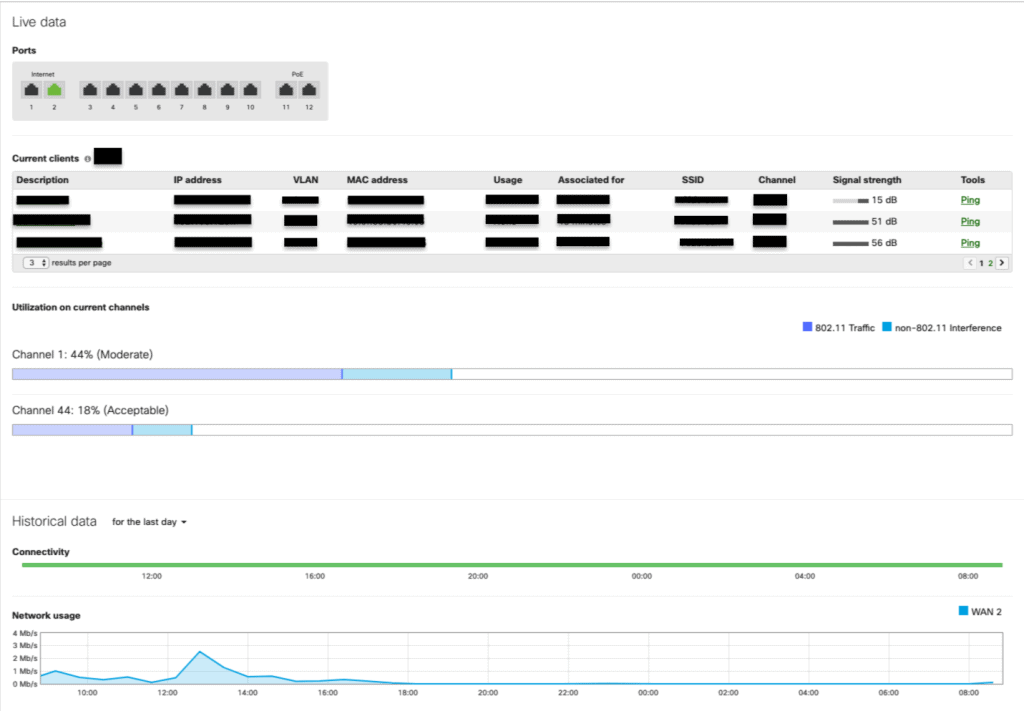
- The dashboard displays a dynamically adjusting line chart showing the network traffic and internet traffic passing through the device. It is useful to see if a particular WAN pipe is taking too much load, and how much strain is being placed on the firewall. Internal outages can be spotted with a glance, and reviewers can see when they are happening and how long they last. Network connectivity and performance tools will help to quickly diagnose network problems right from the web dashboard.
- With a single click, we can obtain firmware update status for any firewall device and force a firmware update on the fly to that given firewall on demand. Firmware upgrades can be scheduled and will be downloaded automatically once there is new software or an improvement available.
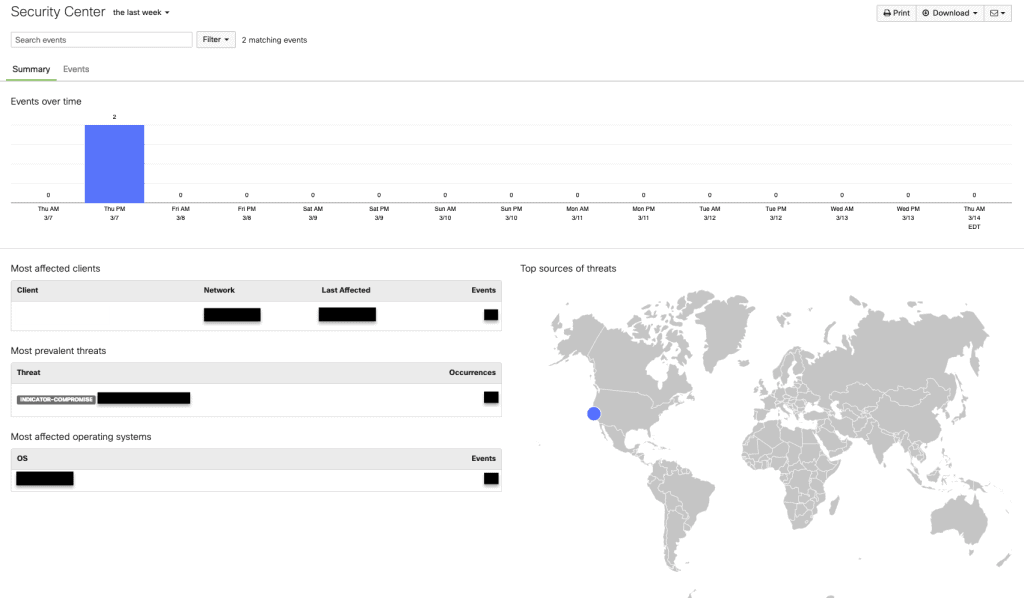
- Another great feature is the ‘Security Center’ where top threats and events are displayed. You can also view the rule details and inspect the captured packets and export it as PCAP if you want to do more.
- If a staff member is fired, and their access needs to be removed, one swift action will remove all their access to the Meraki dashboard and all the associated gear.
All of the common administrator controls and functions, including reporting and monitoring, can be accessed via an intuitive user interface instead of the command line, and they can be configured quickly.
This ease of use and convenience was definitely a reason that Meraki’s Security Appliance was more appealing than legacy boxes like Cisco RV320 and RFC5207.
Doing More with Advanced Features
These devices are not limited by in-appliance memory. They can easily perform detailed logging, and provide a more comprehensive view of appliance status across the entire network- all in a single pane of glass.
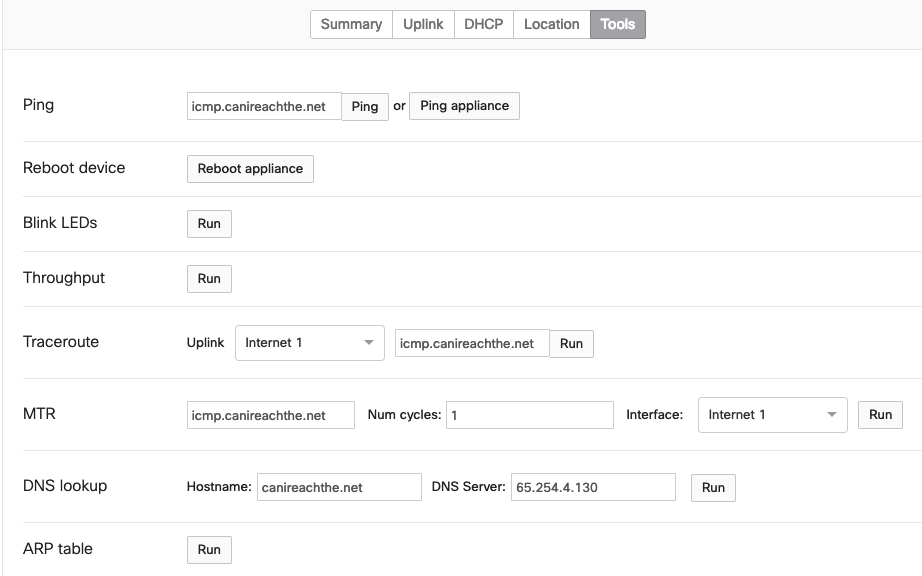
Meraki devices can report or filter traffic on your network based on application level. It is easy to create rules based on domain names and create block points or limit speed. The map-based system shows locations, office floor plans and deployment locations for individual devices – geofencing is a great feature. Additionally, as long as the Security Appliance has internet, you can force a reboot with a single click anywhere in the world. The device also automatically optimizes wireless signals so that coverage is even and strong throughout a site.
Fixing Bandwidth Problems with Logic
Traffic problems can be dealt with logically most of the times with using QoS, traffic shaping, etc. The problem is that most organizations don’t have the equipment to solve these problems with proper logic, so they end up buying more and more bandwidth. The extra bandwidth makes it easy to mask the problems at hand, but it isn’t really a long-term solution.
Meraki has numerous tricks to solve this problem:
- Traffic
shaping policies can control some of the ‘bandwidth hogs’ that plague the
network. - It is
possible to set per-client limits for all devices on the network to a
pre-determined maximum level of upstream and downstream consumption. It’s as
easy as adjusting the brightness on your phone.

Link Aggregation
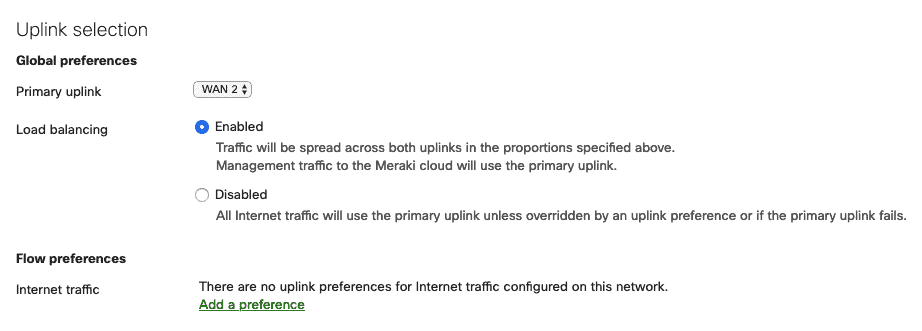
Cisco Meraki Security Appliance provides Link Aggregation that combines multiple network connections in parallel to increase throughput and provide redundancy. The traffic shaping rules further allow you to specify which pipe should take all the traffic for a specific function, such as specifying traffic vehicle for all VoIP calls or internal web server traffic.
Cisco Meraki Review- Shortcomings
I have been working with Meraki Security Appliance for some time now and have just a few suggestions for improvement.
- Problems
can arise without a dedicated connection to the Internet on-site. If you have a
configuration that isn’t working, it means that you can’t get on to the
Internet to configure the device rules. - If you
want to deny countries with geolocation, the options are either all or nothing.
There is no middle ground where you can create a rule that allows some regions
but denies others. - It
lacks built-in visibility. You can’t see hits on the firewall rules directly. Having
to use (Security Information and Event Management) SIEM to pull syslogs from
the device can be less than ideal. - Cost is
also a detractor. This is one of the more expensive brands and costs almost twice
the others, including license renewal costs. However, it does bring a lot of
additional features for a small business, providing the office with everything
that’s needed for secure business connectivity in a single desktop unit.
Cisco Meraki Review: Mobile App

Meraki also has a mobile app for ‘network management on the go’ that can really make things easy for managing your network.
This app allows you to view network summaries at a glance, and even enables faster deployment of Wi-Fi. You can view the status of wireless networks, identify healthy connections or off-line access points, use appliance tools, see details of any access point on the network and verify connectivity, usage, and settings. Despite this versatility and transparency, another online Meraki review suggests that many users found the app to be poorly designed with several missing features and clumsy navigation.
I for one think it is efficient for an on-the-go type setting and would be good for just checking on the network but not for administrating. Personally, I’d rather use the website.
Cisco Meraki Review: Summary
As you can probably tell from the whole Meraki review, we recommend this appliance. In addition to the attractive features, there is an added benefit of the prompt and knowledgeable support staff. I had some trouble with the device when the dashboard indicated uncharacteristically high utilization on the channels. It turns out it was a bug and that the problem would correct itself once an update was installed. But the device wouldn’t update even after they tried to push it directly. So, we returned the device. It was covered by the lifetime hardware warranty and a new device arrived within a day’s time. The Meraki support team was helpful throughout this process.
Only 19% of small businesses have dedicated personnel who handle IT issues. Should the others be stuck without good network management and maintenance policy? Should they suffer from poor data security? Absolutely not!
None of this is optimal for small businesses. For that matter, even a medium-sized business can have trouble deploying in-house resources or a hybrid mix to address all of the standards work, risk mitigation and more that has to go on in managing a network.
One of our security-conscious clients with hundreds of employees also uses the Meraki Security Appliance for this reason. It lets them aggregate their network devices and manage their network efficiently from a single console while preventing financial loss caused by security breaches and business downtime at the same time. The Meraki Security Appliance can be highly beneficial for small to medium-size businesses that want to ramp up business productivity with limited resources.
When reviewing the above factors, we found the Meraki to have a winning set of network management and security solutions.
If this Meraki Review helped your decision-making process, then check out the last blog I wrote on the WiFi Pineapple. It outlines how your WiFi network can be compromised and what you can do about it.
If you would like help with your cybersecurity strategy or program, give Fractional CISO a call for a complimentary consultation. We can be reached at (617) 297-9509 or by email at [email protected].